D-Link DNS-323 + Wall-E
Comex 2008
Comex 2008 was held in Suntec City Convention Center from the 28th August 2008 to the 31st August 2008. I hooted the following:
For My Mom:
- Canon Color Ink For Canon Printer MX700 – S$50 (Free S$10 NTUC Vouchers)
- 2x Canon Black Ink For Canon Printer MX700 – S$44 (Free S$5 NTUC Vouchers)
For Li Xiang:
- Canon Color Ink Value Pack Canon Printer MP160 – S$55 (Free S$5 NTUC Vouchers)
- Microsoft Basic Optical Mouse – S$19.90
For Myself:
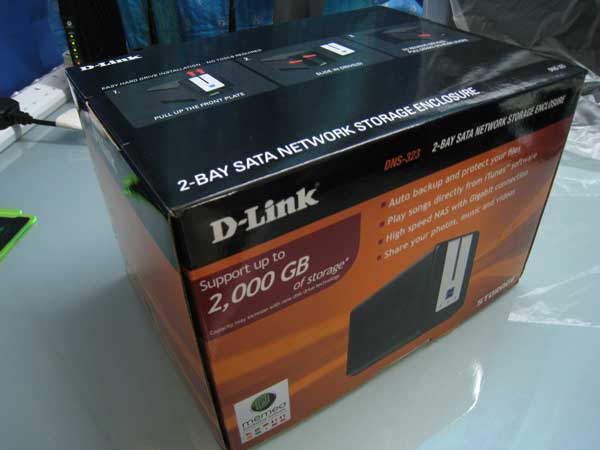
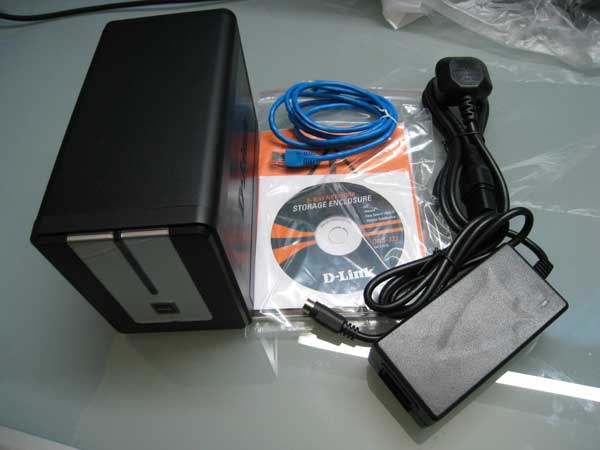
- D-Link DNS-323 – S$199 (Sim Lim Square’s Fuwell selling for S$235)
D-Link DNS-323
I have been aiming for the DNS-323 for quite a couple of weeks, Fuwell is selling for $235 which is a little steep. I am quite surprise Comex is only selling for $199 as from what I heard PC Show 2008 which is held back in June is selling for $189. But nevertheless, it is still cheaper than $235. I went to Comex on Thursday, 28th August 2008, and at 12pm sharp, when the doors are open, I headed straight to the D-Link booth. I have already did my homework on where the booth is located. Once I am at the booth, I told the temp staff I want the DNS-323 and he got stun for a few seconds as I think he didn’t expect me to buy it so fast, if I am not wrong, I am the first customer of the booth.
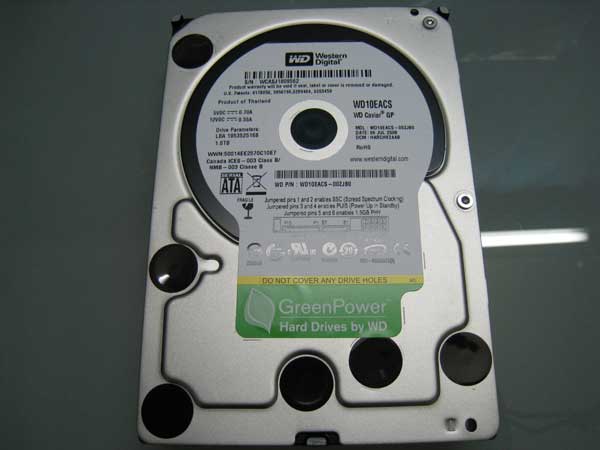
2 weeks before Comex 2008, I have already went to Sim Lim Square’s Fuwell to buy Western Digital Caviar Green Power (GP) 1TB for S$220. At that time I did not want to run RAID 1 and hence I only bought 1 HDD. But after getting the DNS-323 and playing it on Friday, I decided to try RAID 1 and hence the next day I went to Sim Lim Square’s Fuwell to get the exact same hard drive which I bought 2 weeks ago. The price is still the same.
Western Digital Green Power hard drive is fantastic, it is very quiet, even when I put the 2 hard drives into the DNS-323, overall it is still quiet. The only irritating thing is the blue LED lights which is so bright when all the lights are off.
I got a major problem when running RAID 1 on the DNS-323, the formatting of drives always get stuck at 94% and after lots of goggling, I realized that it is a firmware bug. I downgraded to 1.04 (currently is 1.05) and set the inactivity timer to 90mins instead of the default value and that seems to solve the problem.
Space Chimps
Caught Space Chimps a couple of weeks ago and the movie was just average, the funniest part of the movie are all in the trailer.
Death Race
Caught Death Race last week, starring Jason Statham, Joan Allen and Ian McShane. It is directed by Paul WS Anderson. The movie was good and basically it is a action packed movie almost throughout the whole movie.
WALL-E
WALL-E stands for Waste Allocation Load Lifter Earth-Class and EVE stands for Extraterrestrial Vegetation Evaluator. I have been wanting to watch this movie since the trailer aired in Singapore quite a number of months ago. Managed to catch it at GV Max on Friday midnight show. The show was good in terms of both storyline and humor. Go and catch it.
I saw the toy selling for S$19.90 for both WALL-E and EVE. So tempted to get it but in the end didn’t get it. You can view the toys here.
Dad’s Back For 4 Days
My dad came back on Saturday for 4 days and will be leaving on Tuesday, 2nd September 2008. Vietnam has a public holiday and his company give them another day off and my dad just need to take 1 day leave and he can come back for 4 days.
We have been bringing him around eating and eating as Hanoi food is not suitable for him. He lost about 2kg and now I can see his 6-pack.
The next time he will be back shall be in December 2008 where his contract ends. He might renew his contact if the offer is good.
