Archives For Tag 'Microsoft'Archives For Tag 'Microsoft' Home » Blog » Tag » Microsoft » Page 7
You are browsing lesterchan.net blog archives page by tag 'Microsoft'.
Friday, 4th April 2008Friday, 4th April 2008
Posted by Lester Chan at 15:17 in Blog

Yesterday, 3rd April 2008, I was invited by Ian Tan from Microsoft to a private Xbox 360 Anniversary Party at The Screening Room (Theatre). That was my 2nd time I have been to The Screening Room.

Publishers such as EA, Atari, LucasArts, THQ, Namco Bandai, Rockstar, and Team Ninja were there to give us a sneak peak of their upcoming games. What we see are mostly confidential and hence no photos or videos can be taken.

The following games were presented to us in either actual in-game demo or trailers:

  1. Ninja Gaiden II by Team Ninja (Official) (Gamespot)
  2. Dragon Ball Z: Burst Limit by Namco Bandai (Official) (Gamespot)
  3. Destroy All Humans! Path of the Furon by THQ (Official) (Gamespot)
  4. Alone In The Dark by Atari (Official) (Gamespot)
  5. Star Wars: The Force Unleashed by LucasArts (Official) (Gamespot)
  6. Facebreaker by EA (Official) (Gamespot)
  7. UEFA Euro 2008 by EA (Official) (Gamespot)
  8. Dead Space by EA (Official) (Gamespot)
  9. Mirrors Edge by EA (Official) (Gamespot)
  10. Grand Theft Auto IV by Rockstar (Official) (Gamespot)

Release Dates

  • Most of the games mentioned above are going to be released between late May 2008 and June 2008.
  • According to the LucasArts spokesperson, he said that this is the first time they announced the released date of Star Wars: The Force Unleashed, and here they are:

    • 16th September 2008 in the United States.
    • 17th September 2008 in Asia Pacific
    • 19th September 2008 in Europe.
  • GTA IV will be released on the 29th April 2008 and it will come to Singapore this time as MDA has a new rating system for games soon.

As this is a private party, they split us into 4 groups (Rockstar, Covenant, Ninja and Ghost) for us to compete in 3 games (Bomberman, Guitar Hero III and Project Gotham Racing 4). Sabrina, Eunice (did not really get her name), Nicholas/Aaron and I are in Rockstar.We came in first only in Bomberman but loses out in Guitar Hero III and Project Gotham Racing 4. But nevertheless, it was fun and stressful at the same time. TeamNinja won. I also saw U-Zyn there.

The lucky number 12 belongs to Farinelli was called for the lucky draw and he won an Xbox 360 (Halo 3 Special Edition). But my number was 3, sigh.

The goodies bag was good, 2 t-shirts, and 1 black wireless Xbox 360 controller.

Now I got both the controller and the Xbox 360 game which I won from a lucky draw during Premix 2007. What I lack now is an Xbox 360. Hopefully I can get a discounted version straight from Microsoft, keeping my fingers cross.

I enjoyed myself at the party even though I got a Maths test today! The food is good too. I just love the mini burger (it is really small) which cost like $12 for 2 if you order it from the alacarte. I ate at least 10 yesterday.

Can’t wait for the 3rd anniversary or the next event. I hope they will have something like this also but for PC games.

Kudos to the Xbox 360 team and event organiser for a successful event and thanks to Ian for the invite. Looking forward to the next one. =D

Here are some pictures from the event official photographer:


Nice Sofa Where We Played PGR4 And Bomberman


Food! The Mini Burger Rocks


Me And Another Guy (Didn’t Catch His Name) Chatting With Oli Pettigrew (Host) On The Right


Individual Birthday Cakes


Our Group Photo

I have uploaded all the photos that are released to us to Facebook Photo Album.

Thursday, 13th March 2008Thursday, 13th March 2008
Posted by Lester Chan at 17:38 in Blog

MIX-it-up is a series of technology briefings where the audience can experience a great mix of interactive presentations, cutting edge technologies and real world examples.

All MIX-it-up events are held in Microsoft Singapore office (auditorium) located on the 21st floor in NTUC Building. Registrations starts at around 6.30pm and the event ends around 9.30pm.

The first MIX-it-up session is held yesterday, entitled Mash-it-up. This event talks about Microsoft and Web 2.0, Facebook, Popfly and Windows Live. I was there with Weiquan to support Michael and the Singapore PHP User Group and not forgetting Chris (Michael and Chris are both presenting on Windows Live Services with PHP). I will also try my best to be there for the remaining 3 events provided it does not conflict with my school schedules.

Remaining 3 events are:

  1. Build-it-up (9th April 2008) – Developing Next Generation Web Sites with Microsoft Tools
  2. Connect-it-up (29th May 2008) – Leveraging on Microsoft Office as a Web platform
  3. Hook-it-up (26th June 2008) – Connecting to the Web with Microsoft’s Next Generation Data Services

I think that all these events are held in conjunction with Remix 2008 which will be held in Singapore on the 16th May 2008. I was there in Remix 2007 thanks to Nic. But now he is in Seattle, guess I can’t go this year as the admission cost about SGD$300.

Mash-it-up ended at about 9.30pm. Microsoft ordered some books from its vendor to be given as prizes during the event, but since there are quite a number of left over books and it is placed in front on the stage, it was free for all to take. And apparently I was like WTF, all cluster fucking around the books trying to grab one, I am so disgusted by their actions, I would like to emphasis that not all are Singaporeans, apparently even foreigners does that. And I thought developers are civilized people and this really prove me wrong. The best part is that the book is not exactly new as it is about Visual Basic 2005.

Anyway, after everything, we (Singapore PHP User Group) went up to the 22nd level and into the innovation center. I asked Chris and he told me MS occupy 6 levels in the NTUC building. I was like “I so want to work in Microsoft Singapore” when I saw the room. There was like 3 projection screens projecting from the XBOX 360 and all of us gave a go at Guitar Hero as it just came in a few days ago.

I also played around with Microsoft Photosynth and Microsoft HD Photo (I can’t seem to find a link on it) and it really took my breath away.

Thanks to Chris Ismael and Jocelyn Villaraza from Microsoft Singapore for the Guitar Hero.


Lift Lobby


Counter


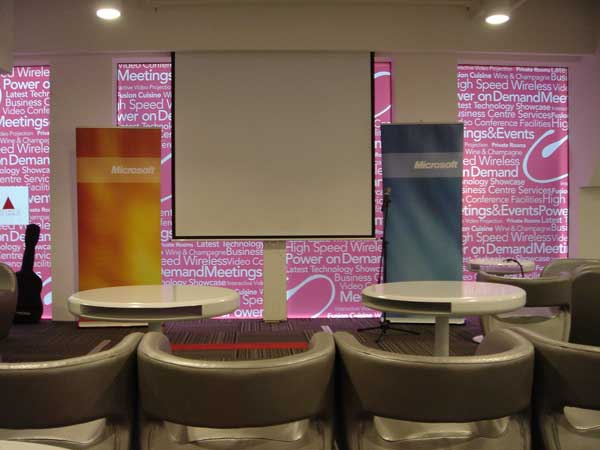
MIX-it-up Banner


View From The 21st Floor (Raining)


Innovation Center

Thursday, 6th March 2008Thursday, 6th March 2008
Posted by Lester Chan at 15:03 in Software

Some new features in IE8 Beta 1:

  1. Activities – Activities are contextual services that provide quick access to external services from any webpage. Activities typically involve one of two types of actions.
  2. WebSlices – Web sites can expose portions of their page as a WebSlice that users can subscribe to and bring that content with them on their links bar wherever they are on the web. Users receive update notifications when the content changes.
  3. Choice of layout engine – Internet Explorer 8 Beta 1 will ship in standards mode by default. However, three different rendering modes (Quirks mode, Strict mode and IE8 standards mode) that may be set using the X-UA-Compatible header.

Copy + Paste from IE8 Official Site:

Internet Explorer 8 Beta 1 (Developer Preview)

Welcome to the website for Internet Explorer 8 Beta 1. Internet Explorer 8 Beta 1 is a developer preview for web designers and developers to help prepare their websites for the launch of Internet Explorer 8. Some of the new features designed for developers include a developer toolbar and improved interoperability and compatibility.

Internet Explorer 8 is designed to work in standard mode out of this box. However, Microsoft provides a way for users to browse the web in a way similar to Internet Explorer 7 by using the emulate Internet Explorer 7 button on the chrome. The web at your service

Internet Explorer 8 will take the web experience beyond the page. Internet Explorer 8 introduces a new way to seamlessly experience the best of the web whether you are a web developer writing to standards or a user discovering a new online service. Be one of the first developers to take advantage of improvements in Internet Explorer 8 for your websites and applications.

Official Site: Internet Explorer 8
Download: Internet Explorer 8 Beta 1

Tuesday, 4th March 2008Tuesday, 4th March 2008
Posted by Lester Chan at 15:31 in Gadget, Press Release

Nokia is bringing Microsoft Silverlight to S60 on Symbian OS later this year. Now we just need Adobe Flash Lite 3 to be delivered to our mobile phones through a firmware update. You can get the Adobe Flash Lite 3 Developer Edition if you can’t wait.

Espoo, Finland – Nokia today announced plans to make Microsoft Silverlight available for S60 on Symbian OS, the world’s leading smartphone software(1), as well as for Series 40 devices and Nokia Internet tablets. Adding support for Silverlight will extend opportunities for developers to create rich, interactive applications that run on multiple platforms in a consistent and reliable way.

Microsoft will demonstrate Silverlight on S60 during the opening keyote at Microsoft’s MIX08 conference on March 5 in Las Vegas. Silverlight is intended to be available to S60 developers later this year with initial service delivery anticipated shortly thereafter for all S60 licensees. This will allow S60 application developers to use an even wider range of development environments for S60 on Symbian OS than today. Today S60 developers can use: C++ (using native Symbian OS APIs and Open C providing subset of standard POSIX libraries), S60 Web Run-time (supporting standards-based web technologies such as Ajax, JavaScript, CSS and HTML), the Java(TM) language, Flash Lite from Adobe, and Python.

Microsoft Silverlight availability for Nokia Series 40 devices and Nokia Internet tablets will be confirmed later.

Source: Nokia Press Release

Tuesday, 22nd January 2008Tuesday, 22nd January 2008
Posted by Lester Chan at 22:02 in Software

Here are some post install details about Windows 7 (Seven) M1 originally posted by “Kenipnet” in Neowin’s Forums. Hopefully we can get some leaked screenshots soon.

Over the weekend I finally managed to play with the build¦. but disappointed.

One my primary machine, it asked for my SATA driver (never happened when installing Vista, as my drives were set as IDE in BIOS). After adding the driver from my USB thumb drive it would finally install. It didnt boot after first restart, however.

On my laptop it installed perfectly, but with no driver support for the video card. After numerous tries I gave up in the end, so Aero is now left in the dark.

Oh well, so theres nothing to show.

The build is 6.1.6519.

The GUI, as much of you have guessed, is very much like Vista. I dont know if once the right video card driver is in place whether there will be flashy stuffs to surprise me. The system is very responsive, using barely 480MB of memory after boot.

Gadgets are now integrated into explorer. You can right click on desktop and select œAdd Gadget or œHide Gadget. There is a new gadget called œWindows Media Center that displays now playing information from the WMC. On the same menu, œDisplay is added above œPersonalization which gives you direct access to display DPI settings. The page is much more polished than the one in Vista.

The start menu features a pin besides each item. Clicking on it toggles pinning/unpinning the item. Search in explorer is now states where you search within (usually being within the folder, as in Vista). You can now, however, adjust the size of the search box.

XAML fonts, called the œComposite Fonts are now added to the font folder. Perhaps WPF will be much more prominent in this release. Its disappointing that I dont have Aero running, or otherwise there might be some interesting stuffs to see.

A new application is added, dubbed the œXPS Viewer, no surprises, either.

Then finally, something interesting came up: the feedback tool. The feedback tool lists the œpillars of Win 7. You can see that Microsoft is aiming to fine tune this release as the case in XP rather than technological advancement as in 2K. highlights includenetwork aware, with improved connection tools and detections. It will have the ability to detect which network youre in and switch your settings and devices accordingly; With Live account, you can carry your IE settings and favorites with you; Gadget data caching; New Calculator, Paint, and Wordpad using WPF; install to desktop in 10 mins with only 1 reboot; instant streaming; better battery mileage, etc. All descriptions are scenario-based, so what will actually turn up is still yet to know.

Oh.. how could I miss this. A new boot screen does show up, finally. A full screen Vista-logon screen like boot screen with a beam scrolling across the whole screen near the bottom. Looks nice but reminds me of Win9x (well since XP weve been in the œdark, so surprised to see such a bright boot screen)!

Source: Neowin.net: Windows 7 (Seven) M1 post-install details leaked?

Page 7 of 812345678