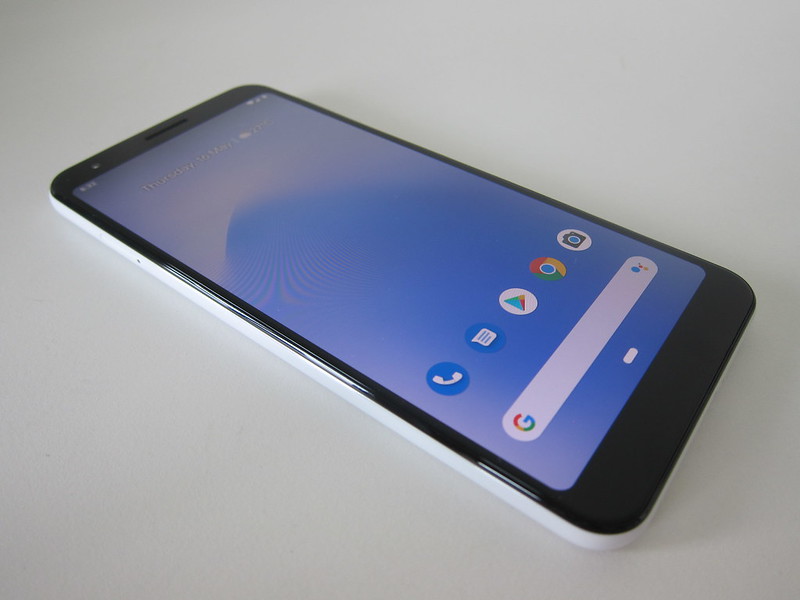
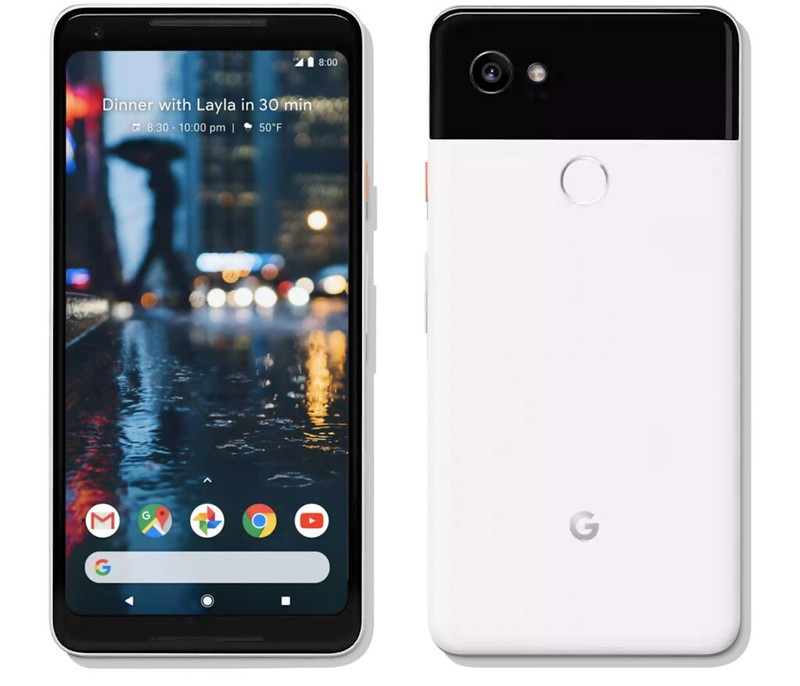
This is my first time using a foldable phone, and my first Google Pixel since the Google Pixel 7 Pro four years ago.
Google sent me the Pixel 11 Pro Fold to review, 256GB in Olive. It retails from S$2,499 for 256GB (Obsidian goes up to S$2,999 for 1TB, Olive is Google Store exclusive and caps at 256GB), available from 20th August 2026 through the Google Store, Singtel, StarHub, Shopee, Lazada, Harvey Norman, Best Denki, Courts, and Metapod.

Who is it for? Someone who wants a tablet-sized screen for reading, multitasking, or the occasional video, without carrying an actual tablet around. If you buy phones primarily for the camera, the Pixel 11 Pro XL is the better phone, and cheaper.

tl;dr
Pros
- Unfolding for extra screen space when you need it, then folding back down to a normal phone, is useful day to day
- Actually lighter than my iPhone 17 Pro Max once both are in their cases
- Night photography pulls noticeably more detail out of near-black scenes, automatically, regardless of framing
- Split-screen multitasking is something I can see myself using often
- Made You Look is a clever, actually-useful trick for photographing kids
- Face unlock is fast
- Solid build: multi-alloy steel hinge, IP68 dust and water resistance
Cons
- Slippery without the case on, and you cannot open it one-handed
- The case makes fingerprint setup and recognition unreliable when phone is folded
- HiLight feels gimmicky right now, Favorite contacts only, just 5 colors
- Loses to the iPhone in most camera categories: Indoor, Zoom, Portrait, Ultra-wide, and Macro
- Battery capacity actually shrank from the Pixel 10 Pro Fold, 4,806mAh versus 5,015mAh
- Wobbles a little when laid flat on a table
- The hinge is a moving mechanical part in a way a normal phone is not, and I do not yet know what a drop does to it
What’s New
I have not used the Pixel 10 Pro Fold myself, so treat this as a summary of what Google says changed rather than a comparison I can vouch for. Most of it is refinement rather than reinvention.
Pixel 11 Pro Fold is about 19g lighter and 0.7mm thinner when folded, with the outer screen growing from 6.4″ to 6.5″. In practice, that means a more usable screen without unfolding, which matters more than it sounds because the outer screen is where you spend most of your day.
The Tensor G6 replaces the Tensor G5 and is paired with a Titan M3 security chip and 16GB of RAM. Google claims around 20% better power efficiency and 50% more compute from the Tensor Processing Unit (TPU, the part of the chip that handles AI tasks).
The main camera moves to a new 48-megapixel sensor that Google says pulls in 56% more light, and the 10.8-megapixel telephoto now stretches to 30x Super Zoom, up from 20x.
Battery capacity shrinks from a typical 5,015mAh down to 4,806mAh, about 4% smaller. Google still rates both at 24+ hours, betting the Tensor G6’s efficiency gains cover the gap. Wired charging is unchanged, but wireless jumps from 15W to 25W with Qi2.2 and magnetic Pixelsnap support, so it now sits on a magnetic stand properly instead of needing to be lined up by hand. There’s also a new Extreme Charging Mode that temporarily deprioritizes phone performance to charge faster.

While it’s charging, there’s now a dynamic screensaver option that cycles through a digital or analog clock, weather, a Google Photos album, and charging stats.

On the software side, Circle to Search is now built into the camera app rather than being a separate step. There’s also Camera Looks, custom film-style presets you can tweak or build from scratch, and a new Creator Suite for video: a teleprompter, a storyboard view for organizing clips, and social-media-friendly framing grids, all up to 4K60 on front and rear cameras.
One of the software highlights is Magic Capture, which simultaneously records video and captures photos.

Magic Capture is a new shooting mode you swipe into from the camera app that records a short video and pulls high-quality photos from it at the same time, so you’re not choosing between video and stills or timing your shutter tap.

Gemini gets Rambler for cleaning up voice dictation on the fly, sign-to-text in Live Transcribe and Gboard, floating app bubbles for multitasking on the inner screen (up to 5 at a time), and Live Translate for Media, which dubs videos and podcasts as you watch.
New buyers get six months of Google AI Pro included, which rolls over to a paid subscription at S$28.99 per month if you do not cancel. The trial can be started any time before 31st October 2027, so there is no need to burn it on unboxing day.

There is also a built-in Google Virtual Private Network (VPN) at no extra cost, plus Scam Detection and Theft Protection, Car Crash Detection, and Crisis Alerts. Those are standard Pixel safety features rather than anything new this generation, but it’s worth knowing they are there.

Specifications
- Display (outer): 6.5″ Super Actua (1080 x 2342 / 399ppi / up to 3,600 nits peak) OLED, 1-120Hz
- Display (inner): 8″ Super Actua Flex (2076 x 2152 / 372ppi / up to 3,600 nits peak) OLED, 1-120Hz
- CPU: Google Tensor G6 with Titan M3 security coprocessor
- RAM: 16GB
- Storage: 256GB, 512GB, or 1TB
- Dimensions (folded): 155.2 x 76.0 x 10.1 (mm)
- Dimensions (unfolded): 155.2 x 150.4 x 5.0 (mm)
- Weight: 239g
- Battery: 4,806mAh (typical), rated 24+ hours
- Charging: 30W wired fast charging (up to 50% in 30 minutes), Qi2.2-certified Pixelsnap wireless charging up to 25W
-
Rear Camera
- 48MP wide camera: f/1.70 aperture, 85° field of view, 1/1.56″ image sensor size
- 10.8MP telephoto camera with optical image stabilization: f/3.1 aperture, 23° field of view, 5x optical zoom, 1/3.2″ image sensor size, Super Zoom up to 30x
- 10.5MP ultrawide camera with auto-focus: f/2.2 aperture, 127° field of view, 1/3.4″ image sensor size
- Optical and electronic image stabilization on wide and telephoto cameras
- Multi-zone Laser Detect Auto Focus (LDAF) sensor
-
Front Camera
- 10MP: f/2.2 aperture, 87° field of view
- SIM: Dual SIM (Single Nano SIM and eSIM)
- Wi-Fi: Wi-Fi 7 (802.11be) with 2.4GHz + 5GHz + 6GHz, 2×2 MIMO
- Bluetooth: Bluetooth 6 with antenna diversity for enhanced quality and connection
- Connectivity: Ultra-Wideband chip, NFC, Dual Band GNSS, GPS, GLONASS, Galileo, BeiDou, QZSS, NavIC, Thread networking technology
- Authentication: Fingerprint Unlock, Face Unlock, Pattern, PIN, and Password
Unboxing
- Pixel 11 Pro Fold
- 1m USB-C to USB-C cable (USB 2.0)
- Quick start guide
- SIM tool


No charger in the box, standard for Pixel phones since the Pixel 6 Pro. The Google 45W USB-C Power Charger that Google uses for its own charging tests is sold separately for S$44.99.
Design
Slippery was the first word that came to mind when I held the phone.

The grip area on both sides is a thin stainless steel band, and it feels precarious to hold until you put the official case on. The rubbery texture of the case actually gives you something to hold on to. It is difficult to open the phone with one hand.

The build itself is solid.

A composite matte back with a satin finish, a spacecraft-grade aluminum frame, and a hinge built from multi-alloy steel with an aerospace-grade high-strength aluminum alloy cover, all rated IP68 for dust and water resistance.

I expected the Pixel 11 Pro Fold to feel noticeably heavier than my iPhone 17 Pro Max. With cases on both, it actually comes out lighter, 278g versus 283g, about 5g less. You will not feel the difference, but I was surprised that the folding phone was not the heavier one.
When the screen is off, the crease in the middle kinda disappears. I realized that the crease is more visible to the eyes than in the photo below.

However, when the screen is on, the crease down the middle of the inner screen is clearly visible.

You might not notice it that much while watching a video, but your eyes still drift back to it after a while. Not a dealbreaker, but it is probably another two years or so before the technology makes it disappear entirely.

Unfolded, the SIM tray sits at the bottom of the left half, and the USB-C port is at the bottom of the right half.

All the buttons, power, and volume are on the right side of the right half. There are no buttons on the left half.

Up top, the left half houses one of the stereo speakers, and the right half has one of the three microphones.

Lay the phone flat on a table, and it wobbles a little, so if you were planning to type on it flat on a desk, that is worth knowing.

Setup
Pixel offers wireless transfer to move photos, passwords, eSIM, and messages from your old phone without a cable, plus an onboarding companion that walks you through checking your setup as you go. I set mine up from scratch rather than transferring from another phone, and did not run into any issues.
Fingerprint and Face Unlock
Pixel 11 Pro Fold supports both fingerprint and face unlock, in addition to the usual pattern, PIN, or password.
When folded, setting up the fingerprint sensor with the case on is difficult. Even after you get through setup, the case keeps getting in the way. It makes fingerprint unlock unreliable and cumbersome.
No issues using the fingerprint unlock when the phone is unfolded.

Face unlock, by contrast, is fast, exactly as fast as you would expect from a Pixel. Realistically, you will default to face unlock and treat fingerprint as a backup you rarely touch.

Pixel HiLight
HiLight is a ring of ambient LED lights around the camera bar, the same LEDs that fire as the flash. It is on the Pro Fold as well as the other Pro models.

When the phone is face down, it glows in different colors to tell you who is calling or when Gemini is listening, thinking, or responding, so you do not have to flip the phone over.

Right now, it feels gimmicky. You can only assign a HiLight color to contacts saved as Favorites, so unless most of your calls come from a small circle of people, you will mostly only see it light up for Gemini. The color choice is limited too, just 5 to pick from.

That said, this feels like a minimum viable product (MVP) feature rather than a finished one. Google has already said more capabilities are coming, message notifications from favorite contacts being one example, so I expect more colors and more triggers in a future update.

Fold-Exclusive Features
These features are not exclusive to the Pixel 11 Pro Fold, as most of them have been available since the Pixel 9 Pro Fold.
Instant View lets you review your last few shots right next to the viewfinder when the phone is unfolded, so you do not have to switch to the gallery to check if you got the shot.
In practice, it feels gimmicky. Shooting with the phone unfolded is already cumbersome and bulky, so a feature that only helps in that specific position does not add much value for me.

Made You Look plays animations on the cover screen while you shoot with the phone unfolded, to actually get kids to look at the camera rather than wander off.

This one is genuinely clever, and I would guess it will end up being my only real reason to shoot unfolded. Kids have a short attention span, and something moving on the outer screen beats trying to get them to look at a lens they do not care about.

Split Screen lets you run two resizable apps side by side on the big inner display. This is the one I can see myself actually using.
Checking my calendar while booking tickets in Chrome is something I do often enough, and on a normal phone, that means constantly swiping back and forth. Having both open at once removes the back-and-forth entirely.

Drag And Drop pairs with Split Screen, letting you pull media, links, or text from one app straight into the other, a photo from Google Photos into a Messages chat, for instance.
Camera
I am using the iPhone 17 Pro Max as my primary phone, so I shot the same scenes on both, side by side. A few night shots around Orchard and at the newly opened Cantonment MRT station, plus indoor shots at Don Don Donki, Ikea, Sanpoutei Ramen, and NTUC.
Night. A dark building facade in near-total darkness is where the difference shows clearest. Pixel 11 Pro Fold captures far more detail, building, road, and trees all clearer, while the iPhone stays dark and moody across the frame. Both phones throw the same teal ghost artifact near a bright streetlight, so that is not a real difference between them, just what shooting toward a point light source does on either camera.


Indoor. Pixel 11 Pro Fold’s colors read a touch bolder and higher-contrast, but the gap is small enough that you need a close side-by-side to spot it at all. Text and fine detail stayed sharp and legible on both. The iPhone reads closer to what your eyes actually see standing there, which matters more to me than a flashier look.


Daylight. Stone facade tones, sky color, foliage, and shadow detail all came back close on both phones. The one consistent thread was color temperature. Pixel 11 Pro Fold leans cooler and more blue, iPhone 17 Pro Max reads slightly warmer and closer to natural.


Zoom. Pixel 11 Pro Fold telephoto tops out at 30x Super Zoom, since 120x Pro Zoom is exclusive to the Pixel 11 Pro and Pro XL. I shot with the iPhone 17 Pro Max at 40x. At 30x, Pixel 11 Pro Fold keeps “FIRE HOSE REEL” readable but turns the smaller instruction text below it to mush. At 40x, iPhone 17 Pro Max keeps every line of that same text legible with clean edges.


Portrait. iPhone 17 Pro Max’s portraits read closer to how the subject actually looked in person, skin tone staying natural and true to life. Pixel 11 Pro Fold’s version comes out a touch paler with a smoothed-over, touched-up look rather than natural skin texture.


Ultra-wide. Distortion control and color saturation are both close, and straight lines stay straight toward the frame edges on both. The real difference shows up with multiple light sources in one frame. Pixel 11 Pro Fold’s High Dynamic Range (HDR) processing creates several localized bright spots, ceiling LEDs, and small catchlights that pop out independently rather than blending into a single controlled exposure. iPhone 17 Pro Max’s highlights read more evenly.


Macro. iPhone 17 Pro Max resolves fine detail noticeably sharper. Cleaner letter edges on small print, a cleaner data matrix code, and a more defined fabric weave. Pixel 11 Pro Fold stays legible but is visibly softer. Color and exposure read close.


Scoring it category by category:
| Category | Winner | Notes |
|---|---|---|
| Night | Fold | Far more shadow detail |
| Indoor | iPhone | Truer to what you actually see |
| Daylight | Tie | Fold leans cooler, iPhone warmer |
| Zoom | iPhone | Text still legible at 40x |
| Portrait | iPhone | Natural skin tone versus smoothed-over |
| Ultra-wide | iPhone | Fold’s scattered HDR hotspots |
| Macro | iPhone | Sharper fine detail |
Across seven categories, iPhone 17 Pro Max wins five outright, Daylight is a genuine tie, and Pixel 11 Pro Fold’s one real win is Night, where it pulls noticeably more detail out of a dark scene automatically, no matter how you frame the shot.
Note that the Pixel 11 Pro Fold’s telephoto and ultrawide sensors are meaningfully cut down from the Pixel 11 Pro and Pro XL, a 10.8MP telephoto capped at 30x zoom and a 10.5MP ultrawide here, versus a 48MP telephoto with 120x Pro Zoom and a 48MP ultrawide there, to fit the folding body. That’s probably why the iPhone 17 Pro Max pulled ahead in Zoom, Ultra-wide, and Macro: all three lean on the Pixel 11 Pro Fold’s smaller telephoto and ultrawide sensors, while Night, Indoor, and Daylight lean on the main wide 48MP camera, which stays close to flagship-tier.
Closer to natural isn’t automatically nicer to look at. iPhone 17 Pro Max’s flatter, more accurate color often needs a manual edit before it’s share-ready, while Pixel 11 Pro Fold’s punchier, more processed look is usually usable straight out of the camera. Which one actually wins for you depends on whether you’d rather edit less or edit accurately.
Conclusion
I can see myself using a foldable. The option to unfold it for extra screen space when I need it, then fold it back down and use it like a normal candy bar phone the rest of the time, is more useful day-to-day than expected. The crease is visible when using the phone, but it is tolerable rather than ruining the experience.
My biggest hesitation is the hinge. It is a moving mechanical part in a way that a normal phone is not, and I do not yet know what happens to it if I drop the phone. Google can talk about an aerospace-grade alloy all it wants, and the phone does feel solid, but I have dropped every phone I have ever owned, and I have never dropped one with a hinge in the middle. That is the trade-off you are accepting for the folding screen.
If you are already on a Pixel 10 Pro Fold, this is not a must-upgrade year. A lighter body, a slightly larger and brighter outer screen, and a faster chip are refinements, not reasons. Skip it and wait for the Pixel 12 Pro Fold.
As for me, I am not switching off the iPhone, but that has almost nothing to do with Pixel 11 Pro Fold and almost everything to do with me being deep into the Apple ecosystem alongside my family. If I were not that deep into one ecosystem, this would be the first Android phone in a long time that would have made me think twice. In the meantime, Pixel 11 Pro Fold will be my secondary phone.