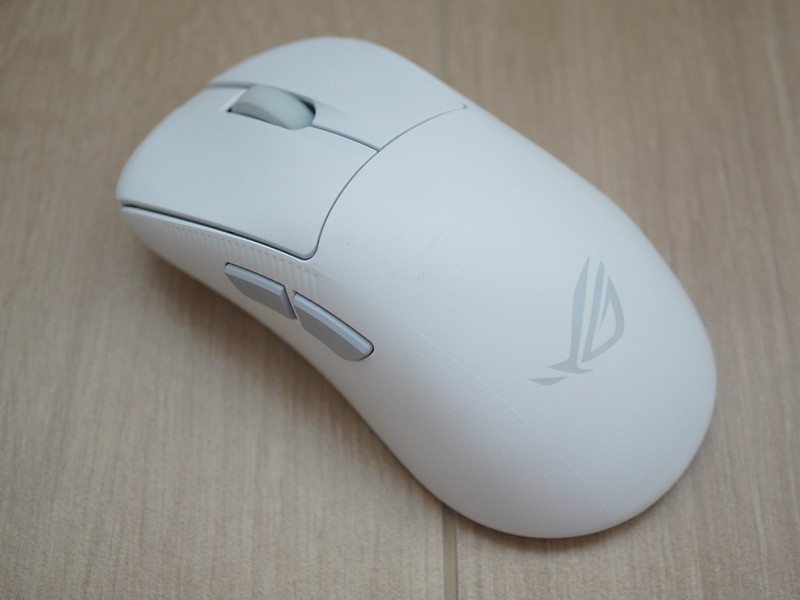
Asus ROG sent me the Asus ROG Gladius IV Ace Gaming Mouse as a review unit ahead of its launch. The recommended retail price (RRP) is S$239. Although it comes in Moonlight White, Lava Red, and Aqua Blue, only Black and White are available in Singapore. You can get it from Shopee or Lazada.
I have been using the Asus ROG Keris II Ace and the Asus ROG Keris II Origin, and this is a different animal. It runs the ROG AimPoint Pro 65K sensor at up to 65,000dpi with true 8,000Hz polling, wired or wireless, and it is built for competitive players with larger hands.


Unboxing

- 1x ROG Gladius IV Ace
- 1x ROG SpeedNova 8K Gen II Receiver
- 1x Silicone receiver skin
- 1x 3g/5g/7g weights
- 1x Pick
- 1x ROG Paracord (USB-A to USB-C)
- 1x Mouse Case
- 1x Mouse Grip Tape Set
- 1x 100% PTFE Mouse Feet Set
- 1x Thank You Card + Hotkey QSG
- 1x ROG Logo Sticker
- 1x Warranty Booklet
- 1x Quick Start Guide
Since it comes with a hard carrying case, Asus obviously expects you to bring it to competition venues; hence, the target audience is esports players.


Design
This is probably my favorite Asus ROG mouse so far because it fits my large hand nicely. Both the Keris II Ace and Keris II Origin measure 121 x 67 x 42mm, while the Gladius IV Ace is 127.5 x 67.7 x 44.15mm. That is 6.5mm longer and 2.15mm taller.

Asus calls it a wider palm rest and a taller rise. In practice, my palm reaches the back of the mouse instead of hanging past the tail, and rests on the shell rather than arching above it.
The shell is matte and lacks a rubber coating, but Asus offers the option to stick the Mouse Grip Tape if you need more friction.


The scroll wheel is smoother than the Keris II’s, with lighter, less notchy steps. Nicer for long scrolls, harder if you count clicks to swap weapons.

USB-C is in front. At the bottom are two large PTFE feet, the DPI button, and a three-position slider for Bluetooth, off, and 2.4GHz RF.

Switches
It uses the ROG 100M Optical Micro Switch, the same switch family as the Keris II Ace, not the Origin. The Origin uses the ROG Micro Switch II with the Push-Fit Switch Socket II, which is hot-swappable.

Opening the mouse is easy. Peel off the two rubber covers at the bottom, undo the two screws, and run the included ROG pick around the seam.

Since Asus includes the pick, they expect you to open the mouse often. Yet the switches are soldered onto the board and not hot-swappable.

Asus matches the left and right switches at the factory, so both buttons feel identical. Asus optimized this for esports players who need the click to be identical in every round of a match.
The click also feels more muted than the Keris II. By muted, I mean lower-pitched and shorter. The Origin gives a bright snap, while this one gives a duller thud that stops the moment the button bottoms out. Travel is similar; it is the sound that differs.
Weights
The mouse starts at 56g. The weights are 3g, 5g, and 7g, usable in any combination, giving eight configurations up to 71g.

They stack into a tray under the palm hump, with a screw to hold them down so nothing rattles.

The Keris II Ace is 54g, and the Origin is 65g, so I settled on the 5g, which comes to 61g, right between the two.
ROG SpeedNova 8K Gen II Receiver
This is the second-generation ROG SpeedNova 8K receiver, so instead of a dongle, you get a weighted puck on a cable that sits on your desk.
It even comes with a silicone cover to protect it and is fitted out of the box.

With the ROG Omni Receiver on the Keris II Ace, I just let the dongle extender dangle off the back of my computer. This one sits right in front of me, which also puts it closer to the mouse.

It earns that desk space because you choose what each of the two front LEDs shows.

I left it to the default, which is the left for Battery Power and the right for Wireless Transmission Power.

It also runs RF Smart Detection in 2.4GHz mode, hopping channels to find a clean one and rating the signal from Poor to Excellent. Mine sits at Excellent, no surprise at home. This one is really for a LAN event.
No RGB
There is no RGB at all, and Asus does not list Aura Sync support for it. Probably, RGB isn’t needed for esports players.

Asus has not said why, but lighting costs weight and battery, and this mouse is chasing 56g and true 8K wireless. As a semi-RGB lighting enthusiast, I do miss it, since my keyboard lights up and my mouse does not.
Gear Link
Gear Link is Asus ROG’s browser-based configuration tool, which I first used on the Keris II Origin and again on the Strix Morph 96.

Performance holds the four DPI slots you cycle with the DPI button, defaulting to 400, 800, 1,600, and 3,200. I top out around 3,200dpi, so 65,000dpi is a spec-sheet number to me.

Power is where you set the sleep timers. Asus does not publish a battery life figure for this mouse, only that SpeedNova 8K Gen II is more efficient than the previous generation.

Button Assignment remaps the six buttons, and SpeedShift turns one into a shift key that swaps to a second sensitivity while held, at the cost of that button’s original function.

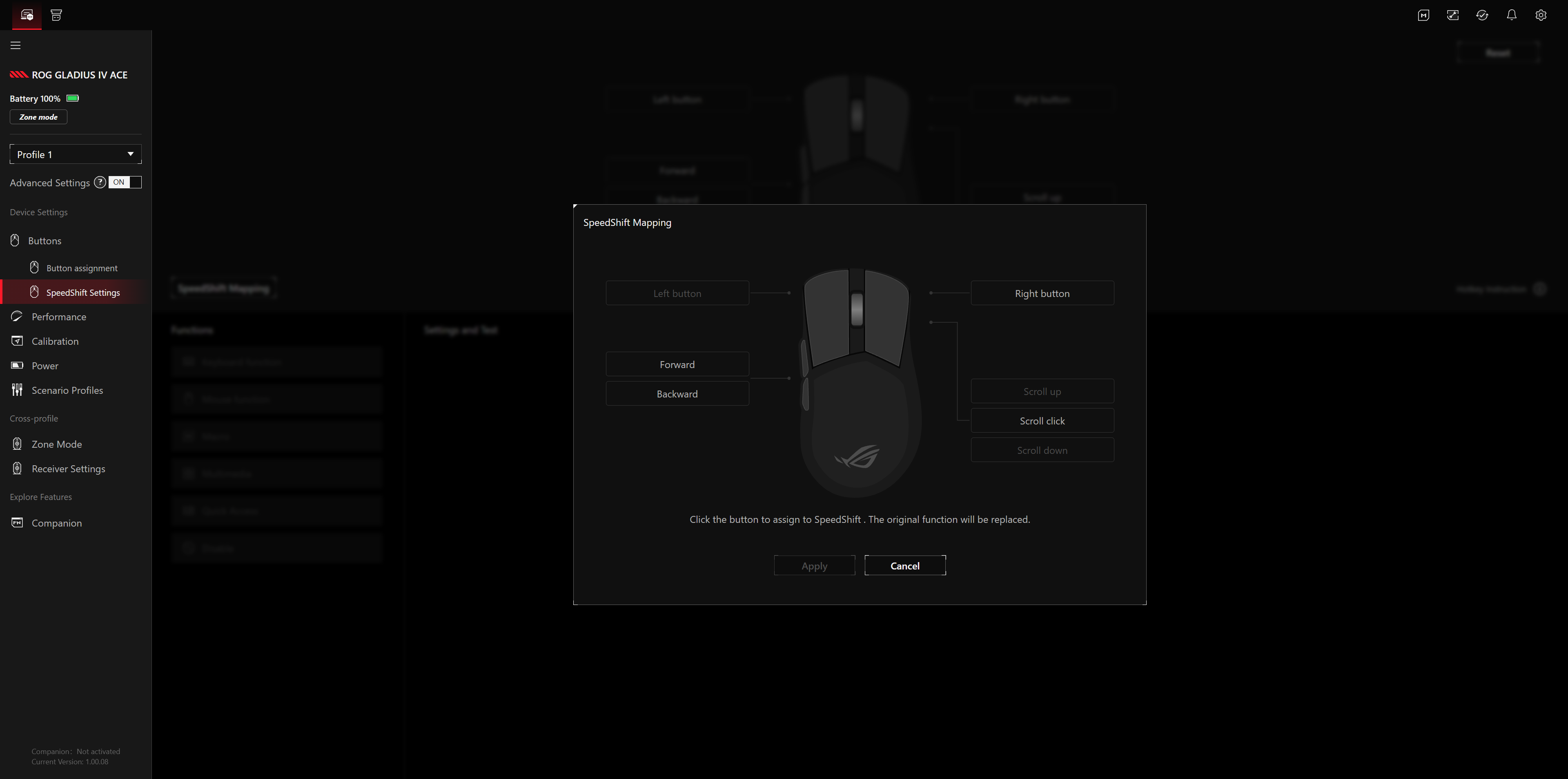
Zone Mode is the competition profile: 2.4GHz-only, with its own sensitivity, polling rate, sensor frame rate cap, and transmission power.
Scenario Profiles is the odd one out. It switches your device profile automatically when you launch a game, and the page is really a window into Armoury Crate rather than a Gear Link feature of its own.

Conclusion
The Gladius IV Ace is the first ROG mouse that actually fits my hand, and if it were mine, it would stay on my desk. Sadly, I have to return this review unit and go back to my Asus ROG Keris II Origin. At least I still have RGB!
If you actually play competitively, most of what I flagged above becomes a non-issue. No RGB saves weight and battery, which you would rather spend elsewhere. The soldered switches keep both buttons feeling identical. The weights let you settle on a number and leave it there. The carrying case and the desk receiver with its RF Smart Detection are built for a venue full of wireless gear, which I cannot test at home. For that audience, this is the most coherent mouse Asus has put together.
Coming from the Keris II Ace, this is a clean upgrade. The Ace has no hot-swap either and only lights its scroll wheel, so you give up nothing and gain the larger shape, the desk receiver, and 8,000Hz wireless instead of 4,000Hz.
From the Origin, it is a trade rather than an upgrade. You get the shape and 8,000Hz without buying the Polling Rate Booster separately, but you lose hot-swappable switches and three RGB zones. Worth it only if the bigger shell is what you are after.
Nitpick: I still wish the switches were socketed. I know why Asus did it, and matched click feel matters more to a pro than a mouse that lasts five years. For the rest of us, it is the other way round, though at 100 million clicks, I will probably want a new mouse before these wear out.