I bought the Apple Mac Mini (M5 Pro) for Li Xiang. The configuration I picked retails for S$2,949, but I paid about S$2,507 thanks to Apple’s Friends and Family discount, which gave me 15% off the retail price.
Thanks to Shane, who works at Apple, for helping me with the purchase. My Apple 14-inch MacBook Pro (2021) was also bought under Apple’s Friends and Family discount thanks to my brother’s friend.
Li Xiang has not had a personal computer all these years. She has her company MacBook Air, which you can see in our work from home setup, but she needs something for design, research, and personal work that cannot be done on company property since they her personal projects. This is her first Mac desktop, and it is also the first Mac Mini in our household.
I ordered it on 1st September 2026 and received it on 23rd September 2026.


Why The Mac Mini?
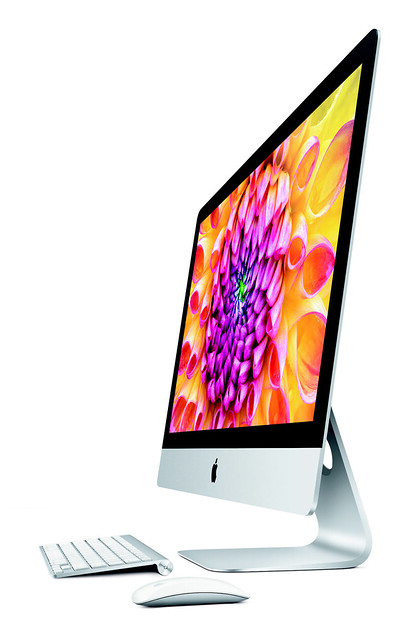
The iMac has not been refreshed, and I did not see the point of buying Li Xiang a MacBook since she can share my M1 Pro MacBook Pro when she needs something portable. Besides, I am planning to get the M6 Pro MacBook Pro next year. So the Mac Mini is for her, but of course, I will get to use it as well.
I went with the base model M5 Pro and only upgraded the storage from 512GB to 1TB. 24GB of unified memory is plenty for design work and research, and 1TB means she will not need to juggle files onto an external drive anytime soon.
Specifications
- Chip: Apple M5 Pro, 15-core CPU (5 super cores and 10 performance cores), 16-core GPU, 16-core Neural Engine
- Memory: 24GB unified memory
- Storage: 1TB SSD (upgraded from 512GB)
- Back: 3x Thunderbolt 5 (USB-C) ports (up to 120Gb/s), HDMI port, 2.5Gb Ethernet port
- Front: 2x USB-C ports (USB 3, up to 10Gb/s), 3.5mm headphone jack
- Wireless: Wi-Fi 7 (802.11be), Bluetooth 6
- Displays: Up to three external displays
- Size: 5.0cm (H) x 12.7cm (W) x 12.7cm (D)
- Weight: 0.73kg
Power Cable

The power supply is built into the Mac Mini, so there is no power brick. In the box, you get a black braided power cable with a UK 3-pin plug on one end and a figure-8 connector on the other. The braiding feels premium and should hold up better than the usual rubber cable.
Design

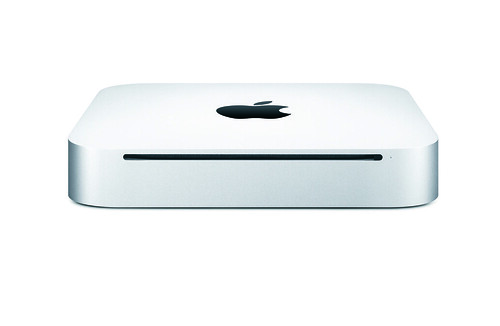
At 12.7cm by 12.7cm and 5.0cm tall, the Mac Mini is small and compact, yet powerful. It takes up hardly any space on the table.

At the front, there are two USB-C ports (USB 3, up to 10Gb/s), a status light, and a 3.5mm headphone jack. Having USB-C ports at the front is handy for plugging in a thumb drive or charging an iPhone without reaching behind.

At the back, you have the power port, the 2.5Gb Ethernet port, an HDMI port, and three Thunderbolt 5 ports. The 2.5Gb Ethernet is a nice touch for our multi-gig fiber, as it is faster than the usual Gigabit Ethernet port.

The power button is at the bottom, at one of the corners, next to the ring of air vents. Some people dislike this placement because you have to lift or tilt the Mac Mini to press it. Personally, I do not mind as I never switch off my Mac.
Setup
Li Xiang is using it with my Apple Magic Mouse 2 and Apple Magic Keyboard With Numeric Keypad, plus two Dell UltraSharp U2717D monitors. One of the monitors has a green line running down the screen, but she does not mind. The Mac Mini supports up to three external displays, so driving two monitors is no problem.

My Thoughts
The Mac Mini used to be super value for money. However, the AI boom has caused a memory shortage, pushing prices up, so now it is just about value for money. With the Friends and Family discount, it is still a good deal.
My only other complaint is the lack of an SD card reader. The Mac Studio has one, and it would be useful for importing photos from my camera without a dongle.
If you need a desktop Mac and already have your own monitor, keyboard, and mouse, the Mac Mini M5 Pro is a no-brainer. You will not go wrong with it.