Went to StarHub Shop at VivoCity on the 24th June 2011 to apply for MaxOnline Infinity which is Starhub fibre Internet service. I chose the MaxInfinity Elite plan which has a download speed of 150Mbps, upload speed of 75Mbps and international speed of 15Mbps. It cost S$82.18 per month for a 2 year contract.
They did not tell me when they are coming to set up the fiber Internet service. I waited a month and they called me on the 3rd week of July 2011 saying they will come on 26th July 2011 to install the service.
StarHub is forcing us to use the crappy Huawei HG256s Residential Gateway (RG) and there is no way to bypass it yet. I heard the wireless on it is just pure shitty. So the typical setup would be:
Terminal Point (TP) -> Optical Network Terminal (ONT) -> Residential Gateway (RG) -> Router
If order to get your router to do the routing you need to bridge the connection between the RG and Router.
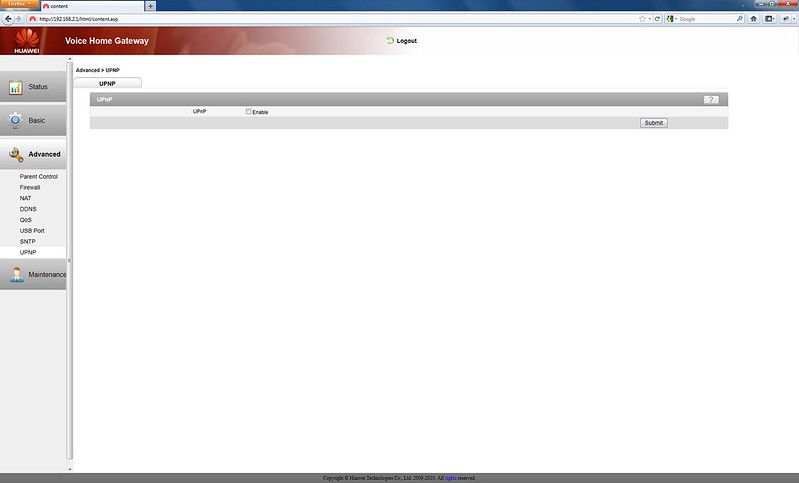
Step 1: You need to disable WLAN and DHCP on the RG


Step 2: Enable DMZ on the RG

My RG’s IP address is 192.168.2.1 and my router WAN Port is connected to my RG’s LAN Port 1 with WAN Static IP address set to 192.168.2.2 on the router.
My router IP address is 192.168.3.1.
RG (192.168.2.1) -> DMZ (192.168.2.2) WAN -> Router (192.168.3.1)
Step 3: Setting WAN Static IP on the Router


That is basically it. I have disabled all the firewall features on the RG side and let the router handle it. DDNS on the other hand is handled by the RG instead of the router.

Since the router is behind RG’s DMZ, port forwarding is handled by the router.


I am unable to obtain 150Mbps speed though. I am wondering if Speedtest can output more than 100Mbps. However I am able to obtain about 80Mbps on 2 computers while doing Speedtest simultaneously. I did my speedtest on StarHub’s Speedtest before doing it on Speedtest.net.
Upon further investigation, I am actually on 150Mbps, I downloaded an iPad 2 firmware update (iOS 4.3.5) from Apple and I am getting about 16MB/s to 18MB/s which is about 128Mbps to 144Mbps. Woot!
Credits
Thanks to MarineX for his post on HardwareZone Forums.



Hi,
Hope you can clear some questions I have on the Fibre internet.
Why does Starhub need to come by to ‘install’ the Fibre internet ?? Can’t we just get the ONT and plug in ourselves?
The connection is not ‘plug’ and ‘play” ?? Or are there other items to set-up before connection is possible through the ONT?
Thanks !!
Nope, it is not plug and plag, there is some Mac Address mapping from the TP to your ONT to your RG by Starhub.
This is not bridged – it is still routed as Huawei HG256s is doing Routing. Also, there seems to be some problem with DMZ on HG256s as I have an Cisco VPN Router and till I setup port forwarding on HG256s, the incoming connections don’t reach my Cisco VPN Router.
Yeap not true bridging but close since the crappy RG dont have bridging mode. I have not played around with VPN though. But I am very disappt with Starhub and their crappy huawei RG. M1 and Super Internet allows you to bypass the RG
Agreed – the HG256s is a piece of crap. I have multiple outgoing VPN tunnels to different sites in North America and they seem to randomly go down because of issues with the Huawei HG256s. It for sure does not do DMZ and/or ALG properly.
Thank you for your guide which I used successfully to link the HG256s to an airport extreme except for one thing. I would like to access my security camera on my local network from the internet. Previously when I only used one router, I made a DHCP reservation for a static iP address for my security, forwarded specific ports and used DDNS dyndns.org to access my security camera from the internet.
Now that I have the HG256s and my airport extreme, I am not sure what to do – a) should I connect my security camera directly to HG256s (in addition to plugging in my airport extreme) or b)should I plug it into my airport extreme?
In the case of a)How do I assign a static* IP address on the HG256s to the security camera so that I can specify what ports to forward on the HG256s? Also, I guess I should probably turn on the HG256s firewall?
*If I don’t specify a static IP address, won’t I run into problems for the DMZ for the airport extreme?
For b) I can easily assign a static ip address/map ports via my airport extreme such that I have no problem accessing from within my local network. But what do I do about the DDNS on the HG256s router? Using my host from dyndns.org, I can get to HG256s router page but I don’t know how to set up the port forwarding such that it port forwards to my security camera.
Thank you in advance!
PS: I have been waiting in vain for the Maxinfinity/huawei tech helpline to call me back. I cannot believe starhub does not have a max infinity helpline which you can call, instead you have to call 1633 (who cannot assist) to request for a callback (at an unknown time!).
The Huawei engineer finally called me back but was not very helpful (could not get past the HG256s router admin page from the internet using DDNS on the HG256s, he had suggested using the port forwarding on the HG256s).
Anyway, I fiddled away and I now can access my security camera via the internet. What worked was to setup my airport extreme in a DMZ on the HG256s as per your instructions, connect my security camera to the airport extreme, setting the DDNS via the HG256s and doing the port forwarding via the airport extreme. Yeah and thanks for your info! Otherwise I would have switched back to a cable modem.
Hi, sorry for the noob question, but must the ONT and RG be kept on 24/7?
Not necessary, but why do you want to off it?
Hi,
I follow your steps, its works. but my speed drastically drop from
10/1/2011 3:27 AM GMT
download 48.20 Mb/s
upload 32.45 Mb/s
ping 0 ms
after
10/1/2011 3:48 AM GMT
182.55.20.207
download 10.69 Mb/s
upload 11.57 Mb/s
10 ms
anything i missout anything ? or my router must update firmware to dd-wrt ?
my setting 192.168.1.1 (Huawei) > DMZ 19.168.1.2 = Router IP Static > 192.168.100.1
Hi Lester,
First off – many thanks for the detail instructions. I was able to enable my Linksys router in the DMZ as you have outlined.
Having one problem, appreciate any advise:
Prior to using RG, like everyone, I was using Cable Modem. I was able to use DDNS, route HTTPS (port 443) into my NAS. Now with RG, I configure my Linksys to forward all 443 to my NAS but when attempting to access, it goes to the RG Admin Page instead. I tried to forward 443 in RG to the NAS directly but again, it would shows up the RG Admin Page.
Thanks in advance,
James
I don’t know if there is any way around this because 443 might be reserved by the RG and it intercept it before even passing to the Linksys Router. I have not used SSL yet on my end. Does your NAS supports https on other part? Just like HTTP:80 you can have https on any ports like 444 even.
Hi Friends, I also shifted to Max Inifinity and have problems in connecting the internet using Wii. The password which I created is not accepted by Wii and I receive the Error Code 5330. StarHub said I have to talk to Nintendo Service Centre.
Kindly help if you have found solution for the same.
Dinesh
Thanks for this simple instructions! now i’m connecting using my dlink 685 and its a hoot! horrible QoS on the HG256S… now it’s all prim and proper!
Thanks!
tried the method and I have a DL 655 router (192.168.0.1) previously. But I still cannot ping some of the devices on the 192.168.0.xxx platform. My Huawei RG is configured on 192.168.1.1 and I’ve set the DMZ in RG. What might I be missing?
Hi, am stuck at step 2. I find the web based access for my Linksys Wireless N router. Have typed in 192.168.3.1 but ie cannot find the http. Please help.
Hi Lester,
have done the bridging as your instructions but one thing am confuse here, do i need to turn off the VPN ALG settings in HG256s? Will the VPN works if i uncheck all the ALG and enable VPN passthrough in my cisco e4200 router?
That is fine, enable VPN passthrough is good.
Hi. May i know whats the user name and pw for RG?
username is “admin”, password I am not sure. You might want to check with StarHub