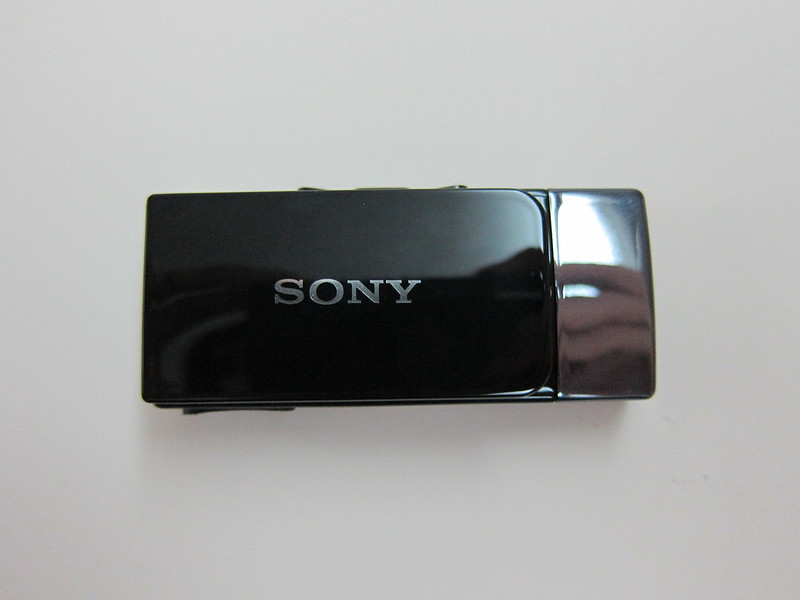
The Sony MW1 Smart Wireless Headset Pro is retailing for S$168 at Xperia concept stores and Sony stores. The Sony Smart Wireless Headset pro is a Bluetooth stereo headset that can stream music from your phone via Bluetooth’s Advanced Audio Distribution Profile (A2DP) and can function as a standalone MP3 Player/FM radio.
Specifications
- Display Technology: OLED, two rows
- Display: time, local FM radio incl. RDS, Media Title & Caller ID Caller name, Call list & SMS – for Android phones
- Bluetooth Technology: Bluetooth 3.0
- Multipoint: Connects up to two phones
- Remote Control: Full Media control: Call/Play/Pause/Back/Forward
- Headphone Type: Bluetooth stereo headset for calls and audio
- FM Radio: FM radio tuner with RDS display
- Audio Driver Unit: Headphone: 6mm
- Audio Frequency Response: 10-20000hz
- Audio Sensitivity: Max 115dB @ 1kHz, THD @ 1khz: < 0.3%
- Battery Life: Talk time: 11 hours, Standby time: 22 days, Streaming audio: 9 hours, Offline music (MP3): 11 hours, FM listening: 11 hours
- Connector Type: 3.5mm connector for headphones, USB 2.0
- Charging Connector: micro USB cable
- Dimensions: 6mm x 25mm x 12mm
- Weight: Main unit: 18g, Earphones: 10g
- Color: Black
- Others: Standalone MP3 player, MP3 and WAV playback

Package Contents
When I first got the Sony MW1, I was overwhelmed by the package contents, it had so much stuff inside the small box.

- Music transfer USB cable (USB to Micro USB)
- Micro SD Card Reader
- Smart Wireless Headset Pro (MW1)
- Micro USB Charger
- 4 sizes of Earbuds
- LiveSound Hi-Fi headset (MH1BL, MH1WO)
- Clip for the headset
- 2GB Micro SD card (upgradeable to 32GB)
- User guide and Warranty leaflet

I love the design of the Micro SD Card Reader but it can be made smaller.

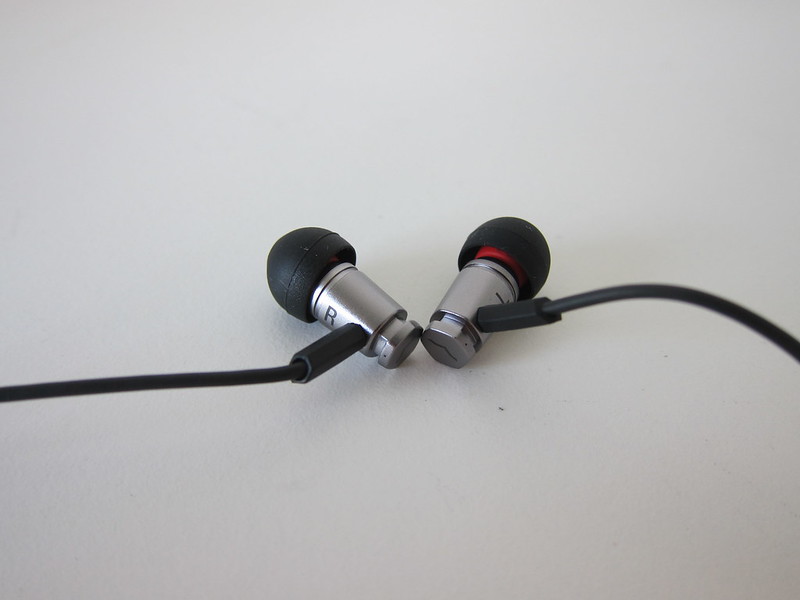
The design of the LiveSound Hi-Fi headset is another plus point, it uses the tangle-free flat cables and the build of it is solid. Sound wise, I am not really an audiophile to gauge, but it is good enough for me. This headphone itself with the remote control is retailing for S$128.
Buttons

The top of the Sony MW1 houses the Micro USB port, 3.5mm audio port and power button

On the left side, there is the next button, play/pause button, previous button and the back button.

On the right side, there is only the volume up/down button.

On the front there is only one button which Sony calls it the “Action Key”. It allows you to accept/reject incoming calls, open call logs and view notifications from your Android phone (more on that later).
Personally I hate the placement of this button, it could be placed at a better location. Every time when I tried to press the attached clip at the back (see the image below) to clip/remove the Sony MW1 from my t-shirt/bag, I would always accidentally press this button. Not that it triggers anything if there is no incoming call, but if you press and hold (which often you will), it will trigger the call log.

Since it also acts as a standalone MP3 player, the Sony MW1 uses Micro SD Card for storage, the Micro SD Card slot is protected with a cover in front and there is a flat wire holding on to the cover when you remove it to prevent you from losing it, it is a nice touch.


Multipoint
The Sony MW1 has multipoint supports means you can connect up to two devices (in this case mobile phones) at one time. For example, if you connect it to two mobile phones and one of them ring, the device will be smart enough to know which mobile phone rang and by pressing the answer button, the call will be answered.

Unfortunately, based on my tests with the Sony MW1, it doesn’t work really well with multipoint connections. I paired it with both my iPhone 4S and Galaxy Nexus. The pairing went well, but when both are connected at the same time, A2DP streaming works but the streaming is very choppy as though there are a lot of interferences. The choppiness is pretty constant throughout the whole streaming.
Just to be sure that it is not my mobile phone problem, I tested it with both my iPhone 4S A2DP Streaming (Galaxy Nexus connected) and Galaxy Nexus A2DP Streaming (iPhone 4S connected) and both have the same issue.
However, if only one mobile phone is connected at any one time, the A2DP streaming is smooth. Again, I tested it with both my iPhone 4S A2DP Streaming (Galaxy Nexus NOT connected) and Galaxy Nexus A2DP Streaming (iPhone 4S NOT connected).
iPhone
When the Sony MW1 is connected with the iPhone, the functionality is pretty much limited. You can answer/reject calls and do A2DP streaming. For calls, the person name and number will appear, for A2DP streaming, song/artist/album name will appear, next/previous/volume up/volume down button on the Sony MW1 works as well. That’s about it.


Android
The Sony MW1 is designed for Android phones, download LiveWare Manager and Smart Wireless Headset pro app from Google Play and you are good to go.
Once connected to an Android phone with the 2 apps installed, the Sony MW1 will show the current time.
Within LiveWare Manger, there are links to Google Play to install other extensions for your Sony MW1. I installed basically most of the official extensions from Sony Mobile Communications, Gmail, Calendar Reminder, Call Log, Messaging, Find Phone, Missed call, Twitter and Facebook.

I have no idea how to get Find Phone to work. For Find Phone, I suspect that you need to be using a Sony Xperia Android phone.
For the rest of the extensions like Facebook, Twitter, Gmail, etc, it works fine for me. For Twitter/Facebook, it polls the service every 15 minutes (minimum). When the notification comes in, you will see the service logo, the username as well as the timestamp as shown below.
For Gmail notification, only the sender and the timestamp will be shown and you can’t read the contents of it by pressing the action key (which make sense).

To access the notifications, press the action key once and you can scroll through the list of notifications. By pressing on the action key again, you will be able to read the contents of the notification like in the image below, it is the tweet.

You can upgrade the firmware of the Sony MW1 via your Android phone which is pretty cool.

Apart from the notifications, the A2DP streaming works like the iPhone, song/artist/album name will appear per normal.
Battery Life
For A2DP streaming, I managed to get an average of 7 hours (tested with iPhone 4S and Galaxy Nexus) instead of the stated 9 hours. For normal usage with notifications coming in but without any calls or A2DP streaming, it lasted me for 2 days.
Protip
Remember to restart your mobile phones and the Sony MW1 after pairing it for the first time. For some reason, I did not and the A2DP streaming does not have any audio, though the song information gets transmitted just fine and the next/previous/play/pause button works.
Summary
Pros:
- Good battery life
- Small and light
- Works very well with Android devices
Cons:
- Pricey
- Multipoint doesn’t work very well
- Location of the Action Key can be placed better

I heard that it is not possible to use micro sd with more than 2 GB. Did u try?
Yeap, I contacted Sony Mobile and they say they are working on a firmware fix for this
I use a 64GB (class 6 sandisk micro SD). From the 67% occupancy more 20GB of music.
Headset software version – 0.1.B.0.6.
How did u transfer the files on to the SD? i mean did u have to use the MediaGo software thingy?? read somewhere that this way(media go) it played, otherwise not… Is your MW1 working good? Would u recommend it to new buyers? I’m stuck between either this or cheaper time-tested, trusted ones like Plantronics Backbeat Go/903+, Jabra Clipper and the SE MW600.. Advice? *confused* Tell me which one to get.
There is an update which is release a week ago http://blogs.sonymobile.com/products/2012/10/18/enhance-your-experience-of-smart-wireless-headset-pro/
thanx. been running busy nowadays with an effing exam coming up..will buy the headset as soon as i get back to work. keep updating. tthanx again Mr.Chan.
Hey guys! I’m just confused of the bluetooth sharing of this device, will the Plantronics Backbeat Go/903+ work with this player? I mean can I use Plantronics Backbeat Go/903+ as earphones for this player? I read from its specs that MW1 has Bluetooth version 3 which might not be compatible with my Plantronics Backbeat Go/903+ A2DP device or not? Please correct me. I’m planning to buy one so please guys, tell me if I’m good to go for it. ‘Coz I just thought having a small mp3 player like this and using a wireless earphones with it would be great. I just can’t find an mp3 player out there that has looks like this one, so I’m hoping it could work with other wireless earphones. I use my Plantronics Backbeat Go/903+ with my iPhone4 as mp3 for running, but I found my iPhone4 annoyingly shaking in my sweat pants due to its weight. So if this mp3 player can be paired with the Plantronics Backbeat Go/903+ I won’t have to run with a “Wongka Donka” mp3 player, all I have to do is clip it and wear my wireless earphones. Thanks for the answer in advance!
One can just plug it into usb socket on computer & drag & drop files onto it without the need for the MediaGo bloat
MW1 is gud, you can transfer thru USB datacable or u can connect SD card in the USB card reader which comes with the device
i just bought one and can’t activate voice control for the iphone, is there a fix for this?
I don’t have an iPhone yet, but have you tried to update the firmware? This may provide a solution, but I’d not bet on it since there is minimal support for IOS.
Does it also displays SMS messages when it’s connected to an iPhone?
Nope, only Android
I love my Sony Headset Wireless Pro device! The feature set is limited to certain devices and the current IOS feature set is quite limited. This seems like an excellent opportunity for some enterprising programmer to write an interface app for IOS. Although, I’m quite satisfied with the feature set for my IOS devices, it would be great to see an app produced for IOS users.
The bluetooth interference issue sounds familiar. I think there is probably heavy use of the same frequencies with Bluetooth. I find I have to move to a different area of a library to get unfettered bluetooth reception. My computer’s bluetooth interferes with this device as well. I’m not certain there will ever be a solution forthcoming unless it is a software problem.
Mines just updated the firmware to 0.1.D.0.6
Not sure what the change log is as I cant find any reference
i have the mw600 and was happy with it. i couldnt resist the temptation to upgrade to the mw1. major regret! it beeps everytime you receive a sms or whatsapp msg while you are having yr phone conversation. imagine, u talking on the line and suddenly…beep..beep.beep. beep..beep..beep..
Can I handle incoming calls while listening to music in sdcard?
yes you can. firmware version 0.1.E.1.6
yes , you can handle incoming calls while listening to music, however you cannot stream music from your phoen to bluetooth if you have selected MP3 media for music. U have to select you phone device , then u can listen to music from ur phone
Samsung Galaxy Grand I9082. Got my Smart Wireless Headset Pro last month after going through this blog. Thanks to Lester Chan for such a detailed review and follow up. After 1 month of use(current firmware version 0.1.E.1.6) i am satisfied with the gadget.Does all it claims to be capable of doing. After this recent firmware update, the choppiness/stuttering has not bugged me yet. I use all the compatible extra apps available and also this app called WatchIt. Loving it. http://goo.gl/Tvc44
Some reviews say it doesn’t work well as mp3 player standalone, what do you think about it?
I am considering to buy this which honestly the mp3 player feature is a big plus for me.
It works as a mp3 player for me, you just need to copy your music to the MicroSD Card
Previously was using mw600 was very much happie with the performance n battery of THE BT , as I upgraded to mw1
no question tht it’s one of the best gadgets bt doesnt fit to the mark
1 week it was working fine but since a week later it started restarting, nt getting proper connectivity n clarity voice starts crying using note 2 frequently paring gets disconnected. .
It shows connected n when I pikup call the voice doesn’t kum on device if I will switch to phone or speaker the voice kum than again need to restart device
yesterday 6 times restarted the device
uninstalling few apps let’s try whether it works properly or not
But overall after paying so much if i get this problems than m nt satisfied with the device…
Hi I have an ipod touch and a note 3, is it possible to stream music from my ipod touch while at the same time if i get call my note 3 i would be able to answer it easily. Will there still be interferences when i listen to ipod touch?
I’m about to buy this thing, just for one thing, i can’t decide still whether to buy it. Does 3.5mm port on MW1 give Audio output or Both Audio output and Mic input? to be precise, If I connect iPhone headset, can i use iPhone headset’s mic?
How can I get new one or identical other in 2026