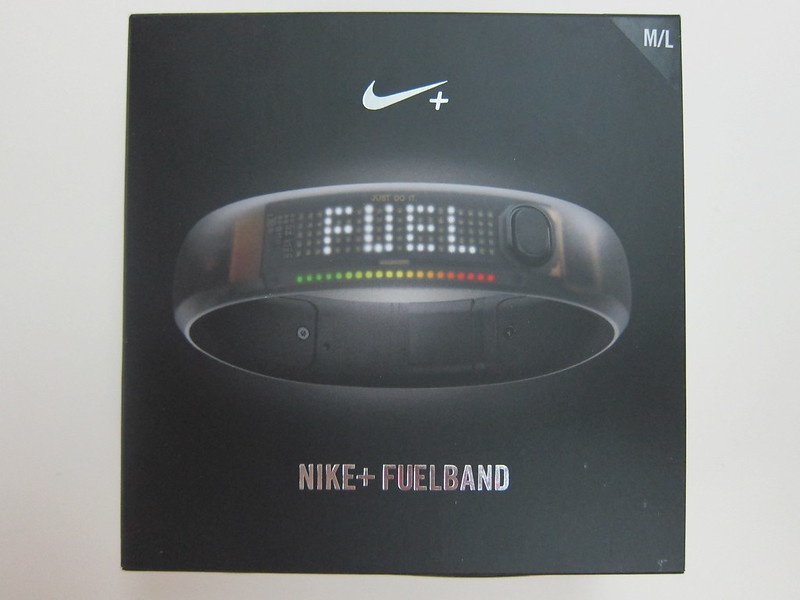
Thanks to Benjamin Eng and his cousin who helped me to buy the Nike+ FuelBand (Black Ice) from the US. I tried purchasing it myself and sending it to a freight forwarder, but both my credit card and PayPal payment could not go through! I guess they also ensure that the payment must be done with a US credit card or a US PayPal account.
I paid a total of US$180 (S$220) to Benjamin’s cousin. The actual breakdown is as follows: US$149 (Nike+ FuelBand) + US$15 (Express Shipping) + US$8.80 (Tax) = US$172.8.
The Nike+ FuelBand app for iOS is available in the App Store even if you are using a Singapore iTunes account. However, when you are doing the Nike+ FuelBand Setup, you need to have a US IP, if not you will be stuck at the “Get extra motivation in your inbox” screen and unable to proceed on further.
Apart from the US IP issue, I still face the issue of linking my Nike+ account to my Nike+ FuelBand. The whole Nike+ setup experience is just HORRIBLE and BUGGY! After getting a US IP, I managed to complete the web setup of my Nike+ FuelBand, but my Mac’s Nike+ Connect App refuses to acknowledge that I have already setup the Nike+ FuelBand on my browser and still shows me “Make It Yours” as shown in the screenshot below.

I have no idea what else to do. So I did a factory reset and change a USB port, and to my surprise that works! My Nike+ FuelBand immediately show a “GO” sign which means the account has been linked successfully.
By the way, I am still using my Nike+ Singapore account with the Nike+ FuelBand, you do not need another separate Nike+ US account for this.
If you run into other problems with regards to setting up the Nike+ FuelBand, you can also checkout Dejiki’s Review On The Nike+ FuelBand, there are discussions going on in the comments.



Lester, after use for more than 1 month, do you recommend this product?
How is the quality, battery and etc ?
Battery life is about 2 weeks, I don’t actively connect it to BT, only once per week to sync it to Nike+. Other than that, no complains, I am thinking of getting http://www.fitbit.com/ FitBit Flex
hi Lester, how do you solve the setup issue? mind going through the steps with me?
Unfortunately I can’t because, it is by luck I got it to work. Seriously it is a PITA to get it to work.
hi there,
i m from Hong Kong and have the same problem with u and i am now stuck in the “Get extra motivation in your inbox” screen. How did u managed to solve it?? i really need help plZZZZZZZ
I just changed a USB port as mentioned above.
I’m here in Singapore and been using my nike+ fuelband with nike+ sg account the setup doesn’t give me any problem it went flawlessly, as well as the syncing. Been using it since march without any issues. I am just wondering what issues you’ve encountered with it. I also bought mine from the us with a help from a friend.
stuck on the “Make It Yours” screen.
hi there, may i know how you managed to do a factory reset? because i am stuck at the “Get extra motivation in your inbox” page even while using a VPN… according to the nike plus support site, a factory reset needs to be done through the software.. thanks in advance!
I can’t remember, I think I did it via the Nike+ Connect App on my computer.