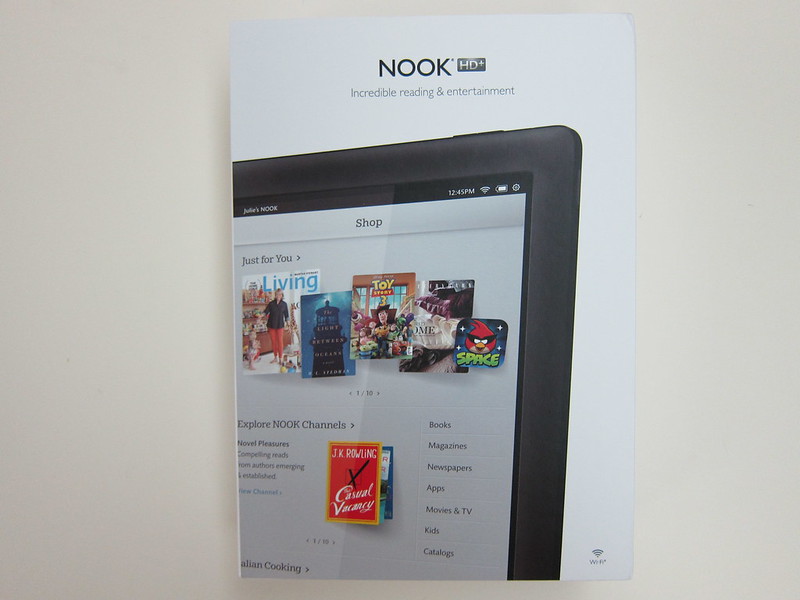
During Mother’s Day week last week, Barnes & Noble dropped their price for their Nook HD+ Tablet from US$269 (S$335) to US$179 (S$222.80) for their 16GB model. Of course I bought it since it is a OK price for that specification and I always wanted to play with an Android tablet.
Nook HD+ doesn’t come with camera, GPS or 3G capability. It uses microSD card as a storage expansion. It uses its own proprietary 30-pin charging cable and since Nook is not available in Singapore,it is advisable to get a spare charging cable in case you misplaced yours.
There are 2 options available if you want to get the charging cable, the first one is the Nook HD+ Tablet Power Kit (US$15/S$18.70) which comes with the cable and an AC adapter and the other is just the Nook HD+ Charging Cable (US$14.95/S$18.64). You should get the Nook HD+ Tablet Power Kit because it is just US$0.05 more expensive and you get an additional AC adapter.
In total, I paid US$179.00 (S$222.80) + US$15 (S$18.67) = US$194 (S$242) for the Nook HD+ Tablet and the Nook HD+ Tablet Power Kit.
I am using HopShopGo which is powered by comGateway and PayPal as my freight forwarder. Paid US$21.39 (S$26.67) for express shipping back to Singapore.
I placed my order on the 8th May 2013, HopShopGo received it on the 10th May 2013, shipped out to me on 11th May 2013 and I got my item on 14th May 2013.
The stock Barnes & Noble ROM on the Nook HD+ is pretty laggy. The current version now is 2.1.0 and it includes Google Play as well as some other Google apps. Before 2.1.0, you do not even have access to Google Play and Google apps and the only way is to get those is to flash the ROM with CyanogenMod (CM).
CM10 is based on Android 4.1 and CM10.1 is based on Android 4.2. There are 3 ways to flash it, overwriting the stock B&N ROM with CM (emmc), booting CM from SD card (SD Card), and placing some operating system files on internal memory and some on SD card (Hybrid).
Personally, I am using the SD Card method as I don’t want to mess with the stock ROM in case anything goes wrong. After giving it a spin for 1 week, the SD Card method is just too laggy to be useable for the long term, I decided to re-flash it using the emmc method and it is WAY more responsive. I totally recommend the emmc method for everyone!
Here is what I did:
- Download leapinlar’s NookHDplus-bootable-CWM-6028-for-stock-4GB-rev4-(05.15.13).zip
- Extract the zip above and burn the img to a 4GB or larger microSD card
- After burning, copy cwm-recovery-ovation-2.zip, cm-10.1-20130512-UNOFFICIAL-ovation-emmc.zip and gapps-20130301-jb-signed.zip back to the microSD card
- Place the microSD card back to the Nook HD+ and boot it
- Do a backup for the stock ROM
- After backup is done, do data wipe/factory reset
- Flash cwm-recovery-ovation-2.zip first, followed by cm-10.1-20130512-UNOFFICIAL-ovation-emmc.zip and lastly gapps-20130301-jb-signed.zip
Technical Specifications
- OS: Android 4.0.3 with customized UI
- CPU: Dual Core Texas-Instruments OMAP 4470 @ 1.5GHz
- Storage: 16/32GB with microSD slot
- Memory: 1GB RAM
- Display: 9″ LED Backlit screen (1920 x 1280 @ 256ppi), multi-touch, fully laminated screen with no air gaps reduces glare and provides extra-wide viewing angles
- Graphics: POWERVR SGX544
- Connectivity: Wi-Fi 802.11b/g/n, Bluetooth
- Connectors: Universal 3.5mm stereo headphone jack, 30-Pin Port for charging and connecting to a computer
- Battery Life: Up to 10 hours of reading/9 hours of video
- Weight: 515g
- Dimensions (HxWxD): 240.3mm x 162.8mm x 11.4mm



Hello !
Please tell me – what specifications of the power adapter :
INPUT ? OUTPUT ?
Does it work with 220V ?
Thanks in advance.
See this picture http://www.flickr.com/photos/lesterchan/8738818616/in/set-72157633494570048
Yes it works with 220v, but you can only use the bundled charger to charge. I can’t seem to charge it with any other USB charger.
Lester, I assume that B&N setup the HD like they had the Color. If you plugged your proprietary Nook Color charging cable into the charger that came with it, it takes about 4 hours to fully charge. That’s exactly the time it takes to fully charge the HD+ with the proprietary charger.
BUT, if you plugged the Color’s proprietary cable into a computer, or regular charger, the time doubles to 8 hours to fully charge. In addition, the Nook Color will not tell you that it’s charging, nor when it’s fully charged! So you just have to check the battery level from time to time.
I imagine that the HD+ is also capable of charging from a computer USB port, and so can also be charged using it’s proprietary cable with a standard USB charger. I suspect that the HD+, like the Color, will not acknowledge that it is being charged, and in addition, will probably take a good deal LONGER than 8 hours to fully charge as the battery is a more powerful one.
Lester , Thank you so much! You helped me a lot !
I think it needs a 2amp usb supply.
I just ordered this from EBAY a Y-splitter cable to send 2x1amp from my Laptop, I hope it works.
Most phone usb chargers are only 1amp and the Nook HD+ is 2amp. I think that’s why it dont show it’s charging.
Nook UK have a good sale on. £5 and free del on all chargers and covers. I’ve got lot’s now;-)